

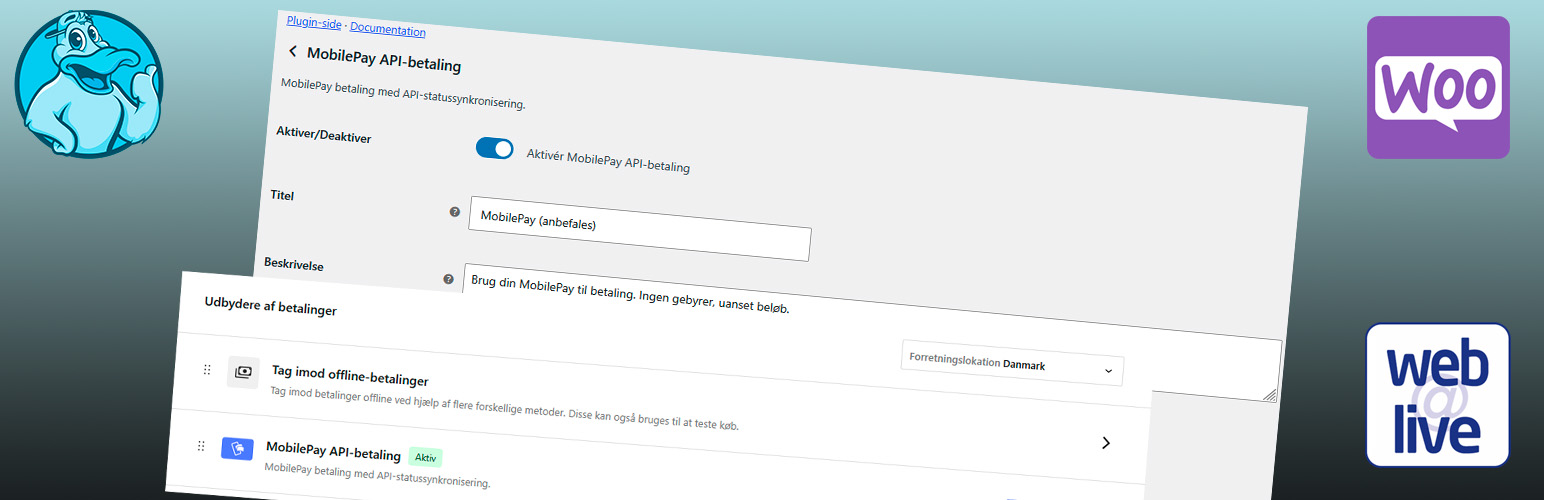

Beskrivelse
MobilePay Gateway for WooCommerce adds a MobilePay payment method that uses the Vipps MobilePay ePayment API. At checkout a one-time payment is created and the customer is redirected to MobilePay to pay. When the customer returns, the plugin queries the API and maps the payment state (AUTHORIZED, ABORTED, EXPIRED, TERMINATED) to the corresponding WooCommerce order status (Processing / Failed). Orders where the customer never returns are synced automatically in the background.
More information: webalive.dk/plugins/woo-wa-mobilepay. Full user and technical documentation is in the plugin under WooCommerce → MobilePay docs (source: docs/README.md).
Features
- Redirect to MobilePay for one-time payments (WEB_REDIRECT), in the classic and the block checkout
- Automatic capture of authorized payments (can be switched off, for example for physical goods)
- Ticket sale: mark virtual products (and variations) as "Ticket sale"; orders where every item is a ticket are captured and completed automatically when the payment is received
- MobilePay express for virtual products and event tickets (Woo Webalive Events Premium): a "Pay with MobilePay" button in the cart (classic and block cart) and at checkout (above the e-mail field in the contact step of Woo Webalive Checkout Premium, the standard checkout and the block checkout). The customer pays without filling in a checkout form; name, e-mail and phone are fetched from the customer's MobilePay profile after authorization and added to the order before the order e-mails are sent. A built-in test checks that MobilePay accepts the profile request, and express is switched off automatically if the test fails
- "MobilePay API" meta box on the order screen: payment status, Captured / NOT captured, authorized / captured / refunded amounts, reference, last sync, sync button and a collapsible transaction log (also downloadable as CSV)
- Status sync when the customer returns, by a background fallback (5 min, 15 min, 1 h, 6 h, 24 h), by a manual "Sync now" button and by a bulk action in the order list
- Order list columns with API status, last sync and reference
- Every payment event is also written to the WooCommerce log (source
woo-wa-mobilepay) - Test (MT / sandbox) and Production environments
- Refunds and cancellation from WooCommerce > Orders: refund a captured payment (full or partial) or cancel a reservation that is not captured, straight from the order screen
- The payment follows the order: cancelling, trashing, deleting or setting an order to Refunded aborts an unpaid payment and releases a reservation automatically; a captured payment is refunded automatically if "Refund automatically" is on, otherwise you get a warning
- One subscription key, Client ID / Client Secret / subscription key hidden with a show/hide button
- Optional "Complete virtual/downloadable orders automatically" setting
- Built-in Test Connection button in WooCommerce Settings → Payments
The plugin adds a custom MobilePay Pending order status and fires a dedicated customer email when that status is set. The former "Offline" gateway has been removed. Recurring payments (subscriptions) are not supported yet.
Ændringslog
2.7.0
- Documentation: docs/README.md with user and technical documentation, shown in WooCommerce > MobilePay docs (tabs: Get started, Daily use, Settings, Troubleshooting, Technical). Linked from the Plugins screen and from the top of the gateway settings, next to the link to the plugin page.
2.6.3
- All checkboxes in the gateway settings are now toggle sliders (enable, auto-map status, complete virtual orders, capture, refund, express), with a fixed gap between the slider and its text.
2.6.2
- A missing sub-component file (for example after an incomplete upload) no longer causes a fatal error; it is logged and skipped. The order clean-up and the refund code are also protected against errors.
2.6.1
- Fixed: "Refund via MobilePay" was missing on the order screen, so only a manual refund was possible and MobilePay was never refunded. WooCommerce hides the button unless the gateway implements can_refund_order(); it now does.
- New: on an order that is refunded or cancelled in WooCommerce while the payment is still captured at MobilePay, the MobilePay API meta box shows a warning and a "Refund ... via MobilePay" button.
2.6.0
- The MobilePay payment now follows the order. When an order is cancelled, trashed, deleted or set to Refunded: a payment that was started but not paid is aborted, a reservation that is not captured is released, and a captured payment is refunded when the new "Refund automatically" toggle is on. With the toggle off you get an order note and an admin warning that the money is still captured. The outcome is written to the order notes and the transaction log.
2.5.0
- Refund and cancel from WooCommerce > Orders: the gateway now supports refunds. A captured payment is refunded through the MobilePay API (full or partial); a reservation that has not been captured is cancelled (released) when the full amount is refunded. The result is added to the order notes, the transaction log and the "MobilePay API" meta box (Refunded / Cancelled).
- MobilePay express: if the payment is not completed in MobilePay (the customer declines to share details or aborts), the customer is sent to the normal checkout with the cart intact instead of a failed-order page.
2.4.3
- MobilePay express now also requests and saves the customer's address (billing address, postcode, city and country) from the MobilePay profile, from either the payment details or the Userinfo API. The express test asks for the same profile, so it fails if the address is not enabled for the sales unit.
2.4.2
- MobilePay express also accepts Woo Webalive Events Premium (WWEP) tickets. WWEP only makes online-event products virtual, so tickets for physical events were rejected and the express button never appeared. Cart items must now be virtual products or WWEP tickets; the shipping check is removed. Filter
wwmp_express_item_allowedcan allow other products.
2.4.1
- MobilePay express button also shown at checkout: above the e-mail field in the contact step of Woo Webalive Checkout Premium (WWCP), at the top of the standard checkout, and in the block checkout's contact information, with an "or fill in your details below" divider.
2.4.0
- MobilePay express is now a toggle switch with a "Test express" button. Switching it on runs a test (a small test payment that requests name, e-mail and phone, which is aborted again); if MobilePay does not accept it, express is switched off automatically - also when saving the settings.
- The WebAlive blueduck with a link to https://webalive.dk/plugins/woo-wa-mobilepay/ is shown at the top of the gateway settings, and a "Plugin page" link on the Plugins screen.
- Readme updated with all features, installation steps and FAQ.
2.3.0
- New: MobilePay express for virtual products and tickets. Enable "MobilePay express" in the gateway settings to show a "Pay with MobilePay" button in the cart (classic and block cart). The customer pays without filling in a form; name, e-mail and phone are fetched from the customer's MobilePay profile after the payment is authorized and added to the order before the order e-mails are sent. Requires profile information (name, e-mail, phone) to be enabled for the sales unit at Vipps MobilePay.
2.2.1
- The checkout icon now uses assets/img/mobilepay-mark.png.
2.2.0
- Single subscription key (like the official Vipps plugin): the secondary key and "active key" settings are removed. An existing key is migrated automatically.
- Client ID is hidden like the other credentials, with a show/hide button.
- The status is re-read after a capture so the shown status and captured amount are always correct.
- Removed the "MobilePay payment is registered. Thank you for your order." line from the thank-you page.
- Bulk sync now uses the gateway's credentials.
2.1.19
- Meta box: the transaction log is collapsible, and the Sync / Download buttons are compact and on one line.
2.1.18
- Meta box: a capture recorded in the transaction log is shown as Captured even if the stored API response is older than the capture.
2.1.17
- Captured payments now show the status CAPTURED instead of AUTHORIZED (in the meta box, order note and transaction log).
2.1.16
- The MobilePay API panel is now a meta box in the side column of the order screen, with payment status, Captured / NOT captured, authorized/captured/refunded amounts, ticket-sale info and a compact transaction log.
- Every payment event (created, status synced, captured, failures) is also written to the WooCommerce log (source: woo-wa-mobilepay).
- After a capture the status is re-read so the stored captured amount is up to date.
2.1.15
- Fixed HTTP 400 when creating a payment: the customer phone number is only sent when valid (9-15 digits, country code added from billing/shop country). API error details (extraDetails) are now shown in error messages.
2.1.14
- Test connection now compares the entered credentials (last characters only) with the official Vipps plugin's saved settings on the same site.
2.1.13
- Payment creation now mirrors the official Vipps plugin: reference = prefix + zero-padded order id (retry suffix on later attempts), order key as idempotency key, customer phone number, plugin version header and "Confirm your order from" payment description.
2.1.12
- Diagnostics: after an HTTP 403 when creating a payment, the log also records whether the same credentials can read from the ePayment and Webhooks APIs.
2.1.11
- The payment-failure log line now includes the plugin version and the last 4 characters of the Client ID.
2.1.10
- Only the selected active subscription key is used; the silent fallback to the other key is removed (a key that can fetch a token may still lack ePayment access, causing HTTP 403).
2.1.9
- Payment and token requests now match the request format of the official Vipps MobilePay plugin (headers, customer interaction). Each subscription key is tried with its own token if the first is refused (401/403).
2.1.8
- The Merchant Serial Number is now also sent when the access token is requested (as the Vipps plugin does), which fixes HTTP 403 when creating payments.
2.1.7
- Failed payment creation now logs the request details (URL, header names, MSN, payload, response) to the WooCommerce log.
2.1.6
- Merchant Serial Number is now required to create payments (as in the Vipps plugin); a clear message is shown when it is missing, and Test connection warns about it.
2.1.5
- A 401/403 when creating a payment now explains the likely cause (missing Merchant Serial Number or ePayment not enabled for the keys).
2.1.4
- Payment start failures are now also written to the WooCommerce log (source: woo-wa-mobilepay).
2.1.3
- Shop managers now see the MobilePay error detail at checkout when a payment cannot be started.
2.1.2
- Test connection now reports PHP errors and HTTP errors in the result instead of failing silently.
2.1.1
- New product option "Ticket sale" on virtual products and variations: orders where every item is a ticket are captured and completed automatically when payment is received.
2.1.0
- The API gateway now creates a one-time ePayment and redirects the customer to MobilePay for payment.
- Status is synced when the customer returns, and by a background fallback if they do not.
- Automatic capture of authorized payments (can be disabled).
- New setting: Merchant Serial Number. Payment references are now unique per attempt.
- Removed the Offline gateway and its manual payment link flow.
- Fixed the block checkout integration (class was never loaded) and pointed it at the API gateway.
- Test connection now uses the values currently entered in the form, not only the saved ones.
2.0.13
- Tested with WordPress 7.1.3 and WooCommerce 11.1.2.
2.0.12
- Marked as tested with WordPress 7.1 and WooCommerce 11.1.0.
2.0.11 (2026-05-22)
- Compatibility: Tested with WordPress 7.0 and WooCommerce 10.7.
2.0.10
- Compat: Tested with WordPress 7.0 and WooCommerce 10.7.
2.0.9
- Fixed blank screen on admin sync action by ensuring payment gateways are loaded for wwmp admin-post actions.
- Improved sync redirect to use WooCommerce order edit URL (works with both classic orders and HPOS).
- Refactored bootstrap structure by moving order-list column logic into
src/Admin/OrderListColumns.php. - Refactored bulk-sync admin logic into
src/Admin/OrderBulkSync.php.
2.0.8
- Added MobilePay API status columns to WooCommerce order list (API status, last sync, reference).
- Color-coded status badges in order list: green (paid), red (failed/cancelled), yellow (unknown), grey (not synced).
- Added per-order MobilePay transaction log — every sync attempt (success and failure) is logged with time, status, reference and message.
- Added transaction log table in order admin panel, showing the 12 most recent entries.
- Added "Download transaction log (CSV)" button on order admin panel.
- Added bulk action "Sync MobilePay status" for multiple orders in the order list.
- Added "Set Online" and "Set Offline" quick links on Plugins screen.
- Manual "Sync MobilePay status now" button on order admin panel.
- Auto-sync on thank-you page for API gateway orders.
- Test Connection now shows detailed diagnostics: environment, token endpoint, key suffix, error detail.
2.0.7
- AJAX-based Test Connection button — inline result, no page reload.
- Improved API error messages with HTTP code and API detail.
- Fixed offline payment link shown after completed API payment.
- Added show/hide toggle on password fields.
- Added environment selector (Test / Production).
2.0.6
- Deploy version bump.
2.0.5
- Split payment methods into separate gateways: Offline and API.
- Added MobilePay API settings with shorter labels, tooltip info, and connection test.
- Added API status-to-order-status mapping with optional virtual-order completion.
- Kept Offline gateway focused on non-API flow.
2.0.0
- Modernized for PHP 8.0–8.4, WP 6.6+, WC 9.x
- Namespaced, autoloaded structure
- Secure templates and typed email class